


Page 12 - ATEN Product Series Guide - ATEN Control System
P. 12
CONFIGURE


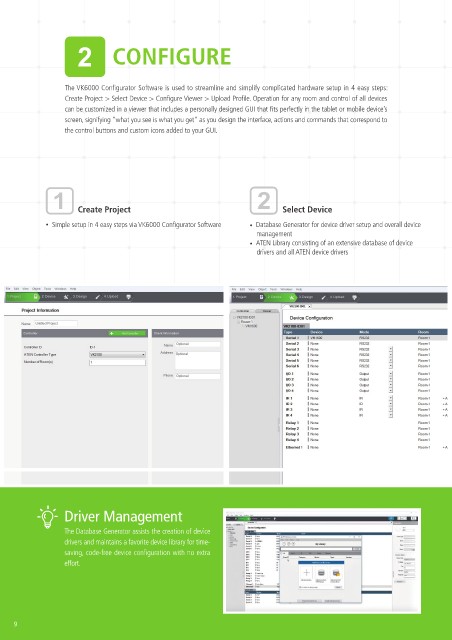
                  The VK6000 Configurator Software is used to streamline and simplify complicated hardware setup in 4 easy steps:
                  Create Project > Select Device > Configure Viewer > Upload Profile. Operation for any room and control of all devices
                  can be customized in a viewer that includes a personally designed GUI that fits perfectly in the tablet or mobile device’s
                  screen, signifying “what you see is what you get” as you design the interface, actions and commands that correspond to
                  the control buttons and custom icons added to your GUI.


                      Create Project                                       Select Device
             •  Simple setup in 4 easy steps via VK6000 Configurator Software  •  Database Generator for device driver setup and overall device
                                                                     management
                                                                   •  ATEN Library consisting of an extensive database of device
                                                                     drivers and all ATEN device drivers


                  Driver Management


                  The Database Generator assists the creation of device
                  drivers and maintains a favorite device library for time-
                  saving, code-free device configuration with no extra
                  effort.


     9

